
- What is it? A smart IPTV subscription delivers live TV, sports, and on-demand content over your internet connection — no satellite dish, no cable box required.
- Channel count: Nordic IPTV carries 24,000+ live channels and 80,000+ movies & series in 4K/FHD.
- Price: Plans start at $12.99/month for one device; lifetime access from $289 (one-time payment).
- Devices: Works on Smart TV, Android, iPhone, iPad, MAG, Formuler, Windows, and Mac.
- Setup time: Login and setup guide arrive within 5–15 minutes by email and WhatsApp.
- Risk: A 24-hour free trial is available — test picture quality and stability before committing.
What a Smart IPTV Subscription Actually Does
A smart IPTV subscription replaces your cable or satellite box with a single app and an internet connection. Instead of a signal bouncing off a dish, your TV channels travel as compressed data packets over broadband — which means you get the same picture (often better) at a fraction of the cost. Nordic IPTV is built around exactly that idea: one account, any screen, instant access.
Why does that matter for Nordic and Greek viewers specifically? Because traditional cable in Sweden, Norway, Denmark, Finland, or Greece ties you to a local provider the moment you move abroad — or even just travel for a few weeks. IPTV cuts that tie completely. Your channels follow you.

The technology behind it is straightforward. Your provider maintains a server infrastructure that stores and streams channel feeds. Your device — a Smart TV, a phone, a laptop — runs an IPTV player that connects to those servers using either an M3U playlist URL or Xtream Codes credentials. That's it. No installer visits your home. No rental equipment fees show up on a monthly bill.
One thing worth knowing before you buy anything: not all IPTV services run the same server architecture. Cheap providers cram too many subscribers onto a single server, which is why you see buffering during peak hours. NordicIPTV uses load-balanced servers spread across multiple data centres, so if one source slows down, your stream is automatically rerouted to a healthy one. That's the technical reason the service targets 99.9% uptime — it's not a marketing number pulled from thin air.
Nordic IPTV Channel Line-Up: What You Actually Get

Twenty-four thousand channels sounds like a number someone invented to impress you. So let's break down what's actually in there. Nordic IPTV carries the full Scandinavian and Greek broadcast stacks — the channels you grew up watching — plus a worldwide tier that covers most of Europe, the Middle East, and North America.
Scandinavian Channels
- Sweden: SVT1, SVT2, TV4, TV3, Kanal 5, and the full SVT regional network
- Norway: NRK1, NRK2, NRK3, TV 2, TV 2 Zebra, Max
- Denmark: DR1, DR2, TV 2 Danmark, TV 2 Charlie, TV 2 News
- Finland: YLE TV1, YLE TV2, MTV3, Nelonen, Sub
Greek Channels
- ERT1, ERT2, ERT3 (public broadcaster)
- Cosmote TV, Nova — the main pay-TV sports and entertainment platforms
- ANT1, MEGA, STAR, Alpha, SKAI
Beyond those home-market channels, the worldwide tier adds thousands of English-language, German, French, Arabic, and South Asian channels. Most viewers only browse a fraction of the total library, but the depth matters when you need something specific — a regional news channel, a niche sports feed, or a children's channel in your native language for the kids.
I spent about 20 minutes going through the channel list when I first signed up, and the thing that surprised me most wasn't the volume — it was the organisation. Channels are sorted by country and category, so finding SVT Play or NRK Sport takes seconds rather than the endless scrolling you get on some competitors.
How the Smart IPTV Subscription Pricing Works
Pricing is the question most people want answered before they read anything else. Fair enough. Here's the full breakdown for a single device:
| Plan | Price (1 Device) | Per Month |
|---|---|---|
| 1 Month | $12.99 | $12.99 |
| 3 Months | $34.99 | ~$11.66 |
| 6 Months | $49.99 Popular | ~$8.33 |
| 12 Months | $59.99 Best Value | ~$5.00 |
| 24 Months | $99.99 | ~$4.17 |
| Lifetime | $289.00 | Pays off in ~27 months |
Multi-device plans are also available — up to five simultaneous connections. Lifetime access for five devices runs $797, which is the ceiling. Every plan, regardless of duration, unlocks the full 24,000+ channel line-up and the entire 80,000+ VOD library. There's no "basic" tier with fewer channels.
One mistake I made early on: I bought a one-month plan to test, then immediately wanted to switch to the annual plan. The smarter move is to use the Nordic IPTV 24-hour trial first — it costs almost nothing and gives you a real read on picture quality and server stability on your specific connection and device. Then buy the longer plan with confidence.

For anyone planning to stay long-term, the lifetime IPTV plan is worth doing the math on. At $12.99/month, you'd spend roughly $395 over three years. The lifetime plan at $289 breaks even at around month 27 — and after that, every month is free. That's not a complicated calculation.
Device Compatibility: Where You Can Watch

One account works across every screen you already own. The supported devices cover essentially everything in a modern household:
- Smart TVs — Samsung, LG, and Android TV sets natively
- Streaming sticks — Amazon Fire Stick (via sideload or a compatible app)
- Mobile — iPhone and iPad (iOS), Android phones and tablets
- Set-top boxes — MAG boxes, Formuler devices
- Computers — Windows and Mac via any IPTV player that accepts M3U or Xtream Codes
The service delivers credentials in two formats: an M3U URL and Xtream Codes (server address, username, password). Which one you use depends on your player. On a Formuler Z8 Pro, for example, you'd enter the Xtream Codes details directly into the MyTVOnline2 app — no M3U needed. On VLC for Mac, you'd load the M3U URL. Both formats give you the same channels and EPG data.
Does picture quality differ by device? Not really — quality is determined by your internet speed and the stream tier you select (4K, FHD, or HD), not the device itself. A 25 Mbps connection handles FHD without any issues. For 4K streams, aim for at least 50 Mbps on that device specifically, not your total household bandwidth.
For full setup instructions per device, NordicIPTV sends a tailored guide within minutes of activation — it covers every platform listed above and includes screenshots.
Live Sports Coverage on Nordic IPTV
Sports is where a smart IPTV subscription either earns its price or doesn't. The leagues and events available through Nordic IPTV cover the full range of what a Scandinavian or Greek sports fan would want to watch:
- UEFA Champions League and UEFA Europa League
- English Premier League
- Spanish La Liga
- Greek Super League and Greek Basket League
- Swedish Allsvenskan
- Swedish Hockey League (SHL)
- NHL
- EuroLeague Basketball
- FIFA World Cup
- PPV boxing and MMA events
All of those broadcast in premium quality, with a full 7-day electronic programme guide attached. The EPG matters more than people think. It lets you set reminders, see what's coming up across multiple sports channels simultaneously, and use the catch-up feature to watch a match you missed — up to seven days back.
The catch-up function saved me once when a Champions League match kicked off an hour earlier than I'd remembered. I caught the whole second half and extra time through catch-up without any quality drop. That's the kind of reliability that makes a subscription feel worth the money on a weekly basis.
The VOD Library: 80,000+ Titles Explained
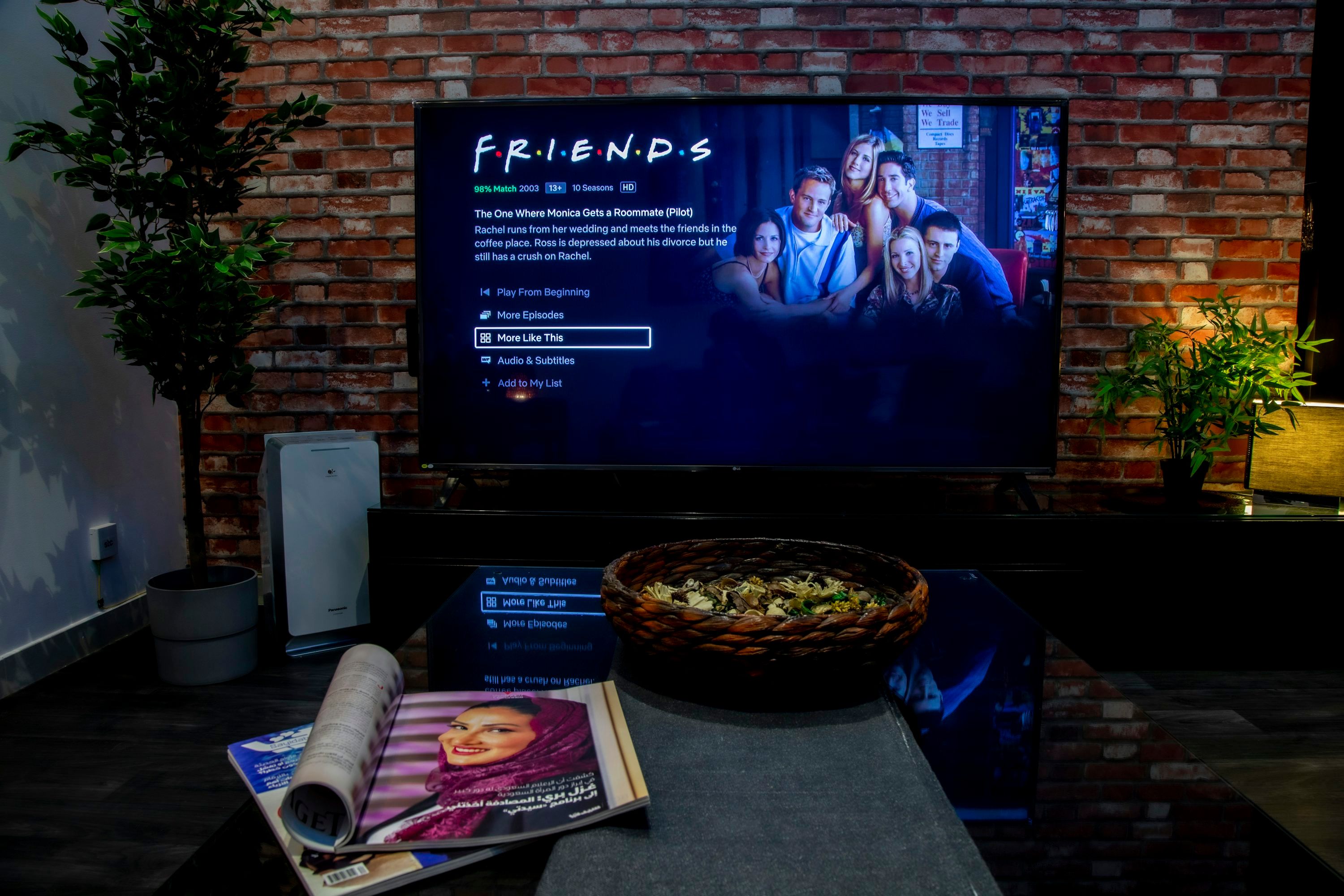
Eighty thousand on-demand titles is a large number. What does it actually contain? The VOD library spans blockbuster films, complete box-sets, and international series — refreshed weekly with new releases. Shows like Stranger Things, The Last of Us, Squid Game, Money Heist, and Vikings sit alongside Nordic originals like The Bridge (Bron/Broen) and recent cinema releases including Dune: Part Two and Oppenheimer.
Is it comparable to Netflix or HBO Max in terms of interface? Honestly, the interface depends on which IPTV player you use — the service delivers the content, the app handles the presentation. On a good player like TiviMate or IPTV Smarters Pro, the VOD section is well-organised with search, genre filters, and a "recently added" row. On a basic player, it's more of a flat list. Choosing the right player makes a real difference to the browsing experience.
The library also includes full series box-sets — not just individual episodes. So if you want to start The Last Kingdom from season one, every episode is there. That's not always the case with cheaper IPTV services that carry only partial series or recent seasons.
For Nordic-language viewers, there's a practical bonus: a significant portion of the Scandinavian content carries original-language audio with subtitle options, rather than dubbed versions. That matters if you're watching with kids who are learning Swedish or Norwegian, or if you simply prefer the original dialogue.
Setting Up Your Smart IPTV Subscription: Step by Step

Setup is genuinely fast. Here's the exact process from payment to first stream:
- Choose your plan. Pick the device count and duration that fits your household. If you're unsure, start with the 24-hour trial.
- Pay securely. Checkout takes under a minute. Your credentials — server URL, username, and password — arrive by email and WhatsApp within 5–15 minutes.
- Download a player. On Android or Fire Stick, TiviMate is the most polished option. On iPhone or iPad, IPTV Smarters Pro works well. On a MAG box, use the built-in portal. On Formuler, use MyTVOnline2.
- Enter your credentials. Open the player, select "Add playlist" or "Add Xtream account," and paste in the details from your email.
- Load the EPG. The guide populates automatically once you enter your credentials. If it doesn't appear immediately, give it two or three minutes to sync.
- Start watching. Navigate to any channel, press play, and you're live.
A concrete tip that took me a while to figure out: if you're on a Smart TV and your built-in app store doesn't carry your preferred player, sideload it via a USB stick or use a streaming stick plugged into an HDMI port instead. A Fire Stick or a Chromecast with Google TV gives you far more app flexibility than most Smart TV operating systems.
Questions during setup? NordicIPTV offers multilingual WhatsApp support — real people, not a chatbot. In my experience, response times are fast, and the support team actually knows the technical side of the product.
Is Nordic IPTV the Right Smart IPTV Subscription for You?
Who is this service built for? The clearest fit is anyone who wants Scandinavian or Greek home channels — either because they live abroad and miss local TV, or because they live in-country and want a cheaper, more flexible alternative to a cable contract. The depth of the Nordic and Greek line-up is the thing that genuinely separates Nordic IPTV from generic IPTV providers who treat those channels as an afterthought.
It also suits households with mixed viewing habits. One person watches SHL hockey, another wants Greek drama series, a third wants Premier League football — a single subscription covers all of that, on separate devices simultaneously if you choose a multi-connection plan.
Who might not be the right fit? If your internet connection regularly drops below 10 Mbps, IPTV in general will frustrate you — that's a broadband problem, not a service problem. And if you only want a handful of channels and have no interest in sports or on-demand content, a smaller, cheaper service might serve you better. But for anyone who wants a comprehensive package with a strong Nordic and Greek focus, the value at $12.99/month is hard to argue with.
Before committing, check the NordicIPTV refund policy so you know exactly where you stand. And browse the NordicIPTV blog for setup guides and tips in multiple languages — there's useful practical content there beyond what the main product pages cover.

The bottom line: a smart IPTV subscription only delivers on its promise when the underlying service has the channels, the stability, and the support to back it up. Nordic IPTV ticks all three. Start with the free trial, test it on your own connection, and you'll have a clear answer within 24 hours.

Frequently Asked Questions
What internet speed do I need for a smart IPTV subscription?
For HD streams, 10 Mbps dedicated to the device is sufficient. For FHD, aim for 25 Mbps. For 4K content, 50 Mbps or more on that specific device is the practical minimum. These are per-device figures — if multiple people are streaming simultaneously, your total bandwidth needs to cover each stream independently.
Can I use Nordic IPTV outside Scandinavia and Greece?
Yes. The service works anywhere you have a stable internet connection. That's one of the core advantages of IPTV over traditional broadcast — your channels travel with you. Swedish expats in Spain, Greek families in Germany, and Norwegian viewers in the US all use the service without any geographic restrictions on the IPTV side.
How many devices can I stream on at the same time?
That depends on the plan you choose. Plans are available for 1, 2, 3, 4, or 5 simultaneous devices. Each connection is independent — one person can watch a football match while another watches a series on a different device, with no interference between streams.
What is the difference between M3U and Xtream Codes?
M3U is a playlist file format — you paste a URL into your IPTV player and it downloads the channel list. Xtream Codes is a login-based format: you enter a server address, a username, and a password. Both give you access to the same channels and EPG. Xtream Codes is generally more stable for long-term use because it doesn't rely on a static file URL, while M3U is more universally compatible with older players.
Is there a free trial before I commit to a full subscription?
Yes. Nordic IPTV offers a 24-hour trial that lets you test the full channel line-up, picture quality, and server stability on your own connection and device before purchasing a longer plan. It's the smartest way to buy — you get a real-world test rather than relying on someone else's review.
What happens if I have a technical problem after subscribing?
Support is available via WhatsApp and is staffed by multilingual human agents — not an automated system. The team can help with initial setup, player configuration, and any streaming issues that arise. Most setup questions are resolved within the same conversation. You can also reach the team through the NordicIPTV contact page for non-urgent queries.
Start streaming with Nordic IPTV
25,000+ live channels and 60,000+movies & series in 4K, on any device. Plans from $12.99/month, or go lifetime.