
- What is rapid IPTV? It's high-speed, internet-based TV delivery — live channels and on-demand content streamed directly to any device, activated within minutes of purchase.
- How many channels? Nordic IPTV carries 24,000+ live channels and 80,000+ movies & series, including Swedish, Norwegian, Danish, Finnish, Greek, and worldwide content.
- How much does it cost? Plans start at $10.99/month for one device. Lifetime access starts at $289 — a single payment, no renewals.
- What devices work? Smart TV, Android, iPhone, iPad, MAG, Formuler, Windows, and Mac — M3U and Xtream Codes compatible.
- Is there a free trial? Yes. A 24-hour trial is available before you commit to any plan.
- How fast is activation? Login credentials and a setup guide arrive within 5–15 minutes by email and WhatsApp.
What Rapid IPTV Actually Means — and Why Speed Matters
Rapid IPTV isn't a brand name. It's a description of what good IPTV service actually does: delivers live television and on-demand content fast enough that you never notice the internet is involved. No satellite dish. No cable box. Just a stable connection and a subscription, and you're watching the Champions League final in 4K on your living room screen. NordicIPTV is one of the services that genuinely earns that label.
The speed question has two parts. First, how fast does the stream reach your screen? Second, how fast can you get set up? Both matter. A service that buffers every ten minutes isn't rapid — it's a headache. And a service that takes 48 hours to activate your account isn't rapid either. Nordic IPTV addresses both: load-balanced servers with a 99.9% uptime target, and account activation within 5–15 minutes of checkout.

I made the mistake once of choosing a provider purely on price. The streams were technically live — they just stuttered every few minutes during peak hours. The issue wasn't my internet speed (I was on 200 Mbps fiber). The problem was the provider's servers couldn't handle concurrent users. Load balancing is the fix, and it's the first thing worth checking before you subscribe to anything.
Here's a practical rule: if a provider doesn't mention server infrastructure, uptime guarantees, or anti-freeze technology anywhere on their site, assume they're running on a single overloaded box somewhere. That's the single fastest way to ruin a Sunday-night match.
The Channel Library: 24,000+ Live Streams Explained

Twenty-four thousand channels sounds like a marketing number until you actually scroll through the list. It isn't padding. The Nordic IPTV channel lineup covers Scandinavian and Greek public broadcasters, international sports networks, news channels from dozens of countries, kids' programming, and regional stations that most cable providers dropped years ago.
The Nordic and Greek focus is genuinely deep. You get:
- Sweden: SVT1, SVT2, TV4, TV6, TV8, Kanal 5
- Norway: NRK1, NRK2, NRK3, TV 2
- Denmark: DR1, DR2, TV 2 Denmark
- Finland: YLE TV1, YLE TV2, MTV3
- Greece: ERT1, ERT2, ERT3, Cosmote TV, Nova channels
That's not a curated highlight reel. Those are the actual flagship channels from each country, live and in full. For anyone living abroad who wants to stay connected to home television — news, talk shows, domestic football — this is the practical solution that actually works.
Beyond the Nordic and Greek lineup, the library extends to worldwide entertainment. Sports networks, international news, premium movie channels — the full NordicIPTV on-demand catalog runs to 80,000+ titles, refreshed weekly with new releases and complete box sets.
Rapid IPTV Setup: Three Steps, Under 15 Minutes

Setup is where a lot of IPTV services lose people. Long configuration guides, obscure settings, apps that crash on first launch. The Nordic IPTV process is genuinely short. Here's exactly what happens:
- Choose your plan. Pick the number of devices and the subscription length that fits your situation — monthly, multi-month, or lifetime.
- Pay and get activated. Checkout is secure. Your login credentials and a device-specific setup guide arrive within 5–15 minutes by email and WhatsApp.
- Start streaming. Log in on any supported device and you're watching immediately.
For anyone setting up on a Smart TV or Formuler box, the Xtream Codes option is the cleanest path. You enter the server URL, username, and password — three fields — and the full channel list populates automatically, including the EPG. No manual M3U import required, no playlist editing. I wasted an hour once trying to manually configure an M3U playlist on a MAG box before realising the Xtream Codes method existed. Don't repeat that.
If you want a full walkthrough before committing, the Nordic IPTV setup guide covers the process device by device. Worth reading before you buy if you're new to IPTV.
4K Streaming Quality and the Internet Speed You Actually Need
Does 4K IPTV actually require a 4K TV? Yes — but the more important question is what internet speed you need. The answer depends on the stream quality you're running.
| Stream Quality | Recommended Speed (per stream) | Notes |
|---|---|---|
| HD (720p) | 5–8 Mbps | Fine for most connections |
| FHD (1080p) | 10–15 Mbps | Standard for most IPTV plans |
| 4K UHD | 25–35 Mbps | Stable connection required |
| Multiple simultaneous streams | Multiply per stream above | Multi-device plans support this |
A wired Ethernet connection always beats Wi-Fi for IPTV. If you're getting intermittent buffering on a connection that tests fast, switch from Wi-Fi to a cable before you blame the provider. Nine times out of ten, that solves it. The NordicIPTV internet speed guide goes deeper on this — specific numbers for each quality tier, and what to do if your connection is borderline.
Nordic IPTV's anti-freeze technology handles the server side: load-balanced infrastructure that reroutes your stream automatically if one source degrades. Your job is just to make sure the last mile — your home network — isn't the bottleneck.
Sports Coverage: Every League, Every Kickoff

Sports is where rapid IPTV streaming either proves itself or falls apart. A two-second delay is annoying during a drama. During a penalty shootout, it's unbearable — especially if your phone notifications are spoiling the result before your stream catches up.
The sports coverage on Nordic IPTV covers a serious range:
- UEFA Champions League and Europa League
- English Premier League
- Spanish La Liga
- FIFA World Cup
- Greek Super League and Greek Basket League
- Swedish Allsvenskan
- Swedish Hockey League (SHL)
- NHL
- EuroLeague Basketball
- PPV events and big fights
The 7-day EPG means you can plan ahead and set reminders. Catch-up covers matches you missed entirely. That combination — live streams plus catch-up plus a full guide — is what separates a proper sports IPTV service from a basic stream-and-pray setup. The full NordicIPTV feature breakdown explains how the EPG and catch-up system works in detail.
Device Compatibility: What You Can Stream On
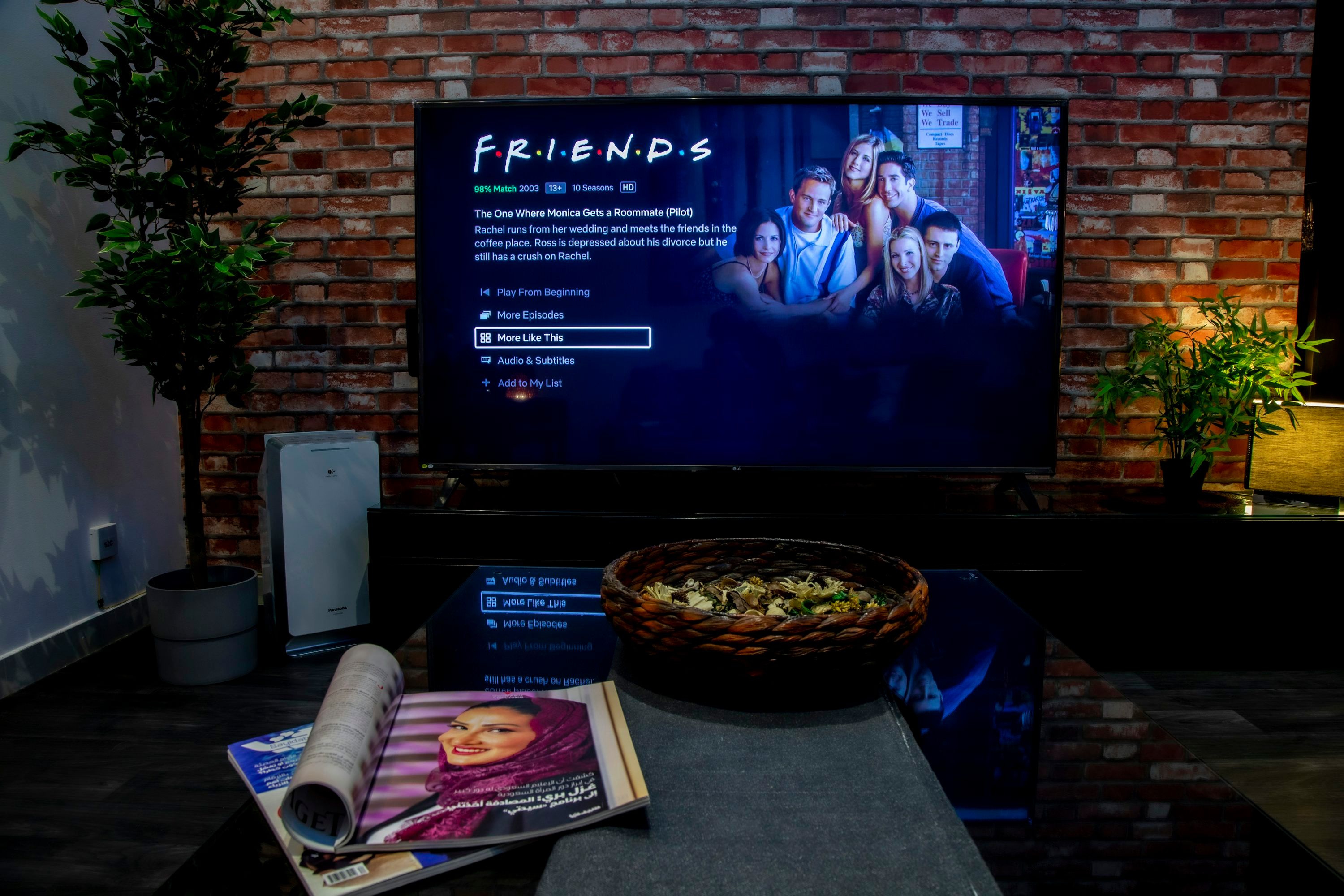
One of the more common questions before buying any IPTV subscription: will it work on the device I already own? The short answer for Nordic IPTV is almost certainly yes.
Supported devices include:
- Smart TVs (Samsung, LG, and others)
- Android phones and tablets
- iPhone and iPad
- MAG set-top boxes
- Formuler boxes
- Windows PCs
- Mac computers
- Fire Stick
Both M3U and Xtream Codes protocols are supported, which means compatibility with virtually every IPTV player app — IPTV Smarters, TiviMate, GSE Smart IPTV, Perfect Player, and others. If you have a multi-device household, the 2, 3, 4, or 5-device plans let each screen run its own independent connection simultaneously.
The practical tip here: if you're on a Formuler Z8 or Z10, use the MyTVOnline2 app with Xtream Codes. It handles the EPG natively and the interface is the cleanest available on that hardware. On Fire Stick, IPTV Smarters Pro is the go-to. NordicIPTV covers device-specific setup questions in the FAQ if you hit any snags.
Pricing Plans: Monthly vs. Lifetime Value

Pricing is where IPTV gets genuinely interesting compared to traditional pay-TV. Nordic IPTV keeps the structure simple: choose your device count, choose your duration.
| Plan | Price (1 Device) | Best For |
|---|---|---|
| 1 Month | $10.99 | Testing the service properly |
| 3 Months | $25.99 | Short-term commitment |
| 6 Months | $39.99 | Popular mid-range option |
| 12 Months | $49.99 | Best yearly value |
| 24 Months | $89.99 | Long-term savings |
| Lifetime (1 device) | $289.00 | Pay once, stream forever |
The lifetime math is compelling. At $10.99/month, you'd spend roughly $395 over three years. The lifetime plan costs $289 — done, no renewals, no price increases. For anyone planning to use the service long-term, the lifetime IPTV subscription pays for itself before the end of year three.
Multi-device lifetime pricing runs from $416 for two devices up to $797 for five. If you have a family household with multiple screens running simultaneously, that's still a one-time payment that covers everyone permanently.
Trying Rapid IPTV Before You Commit: The Free Trial Option

The 24-hour trial is the most underused feature in IPTV. Most people skip it and go straight to a monthly plan. That's a mistake — not because the service is likely to disappoint, but because the trial lets you verify performance on your specific connection, in your specific location, on your specific device. Those three variables matter more than any benchmark.
During the trial, test the channels you actually care about. If you're primarily watching Scandinavian football and Greek news, open those specific channels at peak hours — evenings and weekends. Check picture quality. Try switching between channels quickly. Open the EPG and confirm it's populated. Those 24 hours tell you everything.

The trial also gives you a chance to test your home network setup before committing. If you notice any buffering, try switching to a wired connection and retest. If the issue persists, contact support via WhatsApp — the multilingual support team is available to help diagnose the problem in real time, not via a three-day email thread.

Rapid IPTV streaming at its best means you forget the technology is there. You're just watching television — fast, clear, and without interruption. That's the standard Nordic IPTV is built to meet, and the 24-hour trial is the fastest way to confirm it meets it for you specifically.
Frequently Asked Questions
What is rapid IPTV and how is it different from regular IPTV?
Rapid IPTV refers to internet TV services that prioritize fast activation, low-latency streams, and minimal buffering. The difference from a slower service is infrastructure: load-balanced servers, anti-freeze technology, and quick account setup. Nordic IPTV activates accounts within 5–15 minutes and runs on servers with a 99.9% uptime target — that's what makes it qualify as rapid in practice.
How many channels does Nordic IPTV include?
Nordic IPTV carries 24,000+ live channels covering Swedish, Norwegian, Danish, Finnish, Greek, and worldwide content. The on-demand library adds 80,000+ movies and series, refreshed weekly. The full breakdown is available on the Nordic IPTV channel list page.
Can I use Nordic IPTV on multiple devices at the same time?
Yes. Multi-device plans are available for 2, 3, 4, or 5 simultaneous connections. Each device gets its own independent stream, so different people in the household can watch different channels at the same time without affecting each other's quality.
Is a lifetime IPTV plan worth it compared to monthly billing?
For long-term users, yes. At $10.99/month, three years of streaming costs around $395. The lifetime plan for one device is $289 — a single payment with no renewals. The savings grow with time. See the full comparison on the lifetime IPTV pricing page.
What internet speed do I need for 4K IPTV streaming?
A stable 25–35 Mbps connection per 4K stream is the practical minimum. For FHD (1080p), 10–15 Mbps is sufficient. A wired Ethernet connection is strongly recommended over Wi-Fi for consistent 4K performance. The NordicIPTV speed guide covers this in full detail.
How do I get started if I've never used IPTV before?
Order the 24-hour trial first. You'll receive login credentials and a setup guide within minutes. Follow the guide for your specific device — Smart TV, Fire Stick, MAG, or phone. If you get stuck, WhatsApp support is available to walk you through it. The NordicIPTV FAQ page also covers the most common first-time setup questions.
Start streaming with Nordic IPTV
25,000+ live channels and 60,000+movies & series in 4K, on any device. Plans from $12.99/month, or go lifetime.